A blank iPad becomes a drawing desk, then your own designs become a sheet of real stickers. At this 2.5-hour Singapore workshop, you learn Procreate step by step with an instructor, using an iPad and Apple Pencil provided for you.
I like two things in particular: you get practical help with the app’s layers, blending and colour tools, and you leave with both digital files and physical stickers made from your art. The group is capped at eight, so there’s room to ask questions and work at a manageable pace.
One consideration: the studio is at Boon Keng, not in the middle of the usual tourist circuit, and your sticker sheet is shipped later rather than handed to you at the end. Bring a drink if you like having one nearby.
- What to know before you book
- Turning Procreate basics into your own artwork
- From guided drawing to a sticker sheet
- A small class with room for questions
- Finding Doodlebit Sg at Boon Keng
- Is the price worth it?
- Who will enjoy this workshop most?
- FAQ
- How long is the workshop?
- What is included in the price?
- Do I need experience with Procreate or digital drawing?
- What is the minimum age?
- Where does the workshop take place?
- Can I cancel or get a refund?
- The Best Of Singapore!
- More Workshops & Classes in Singapore
- More Tours in Singapore
- More Tour Reviews in Singapore
- Not for you? Here's more nearby things to do in Singapore we have reviewed
What to know before you book
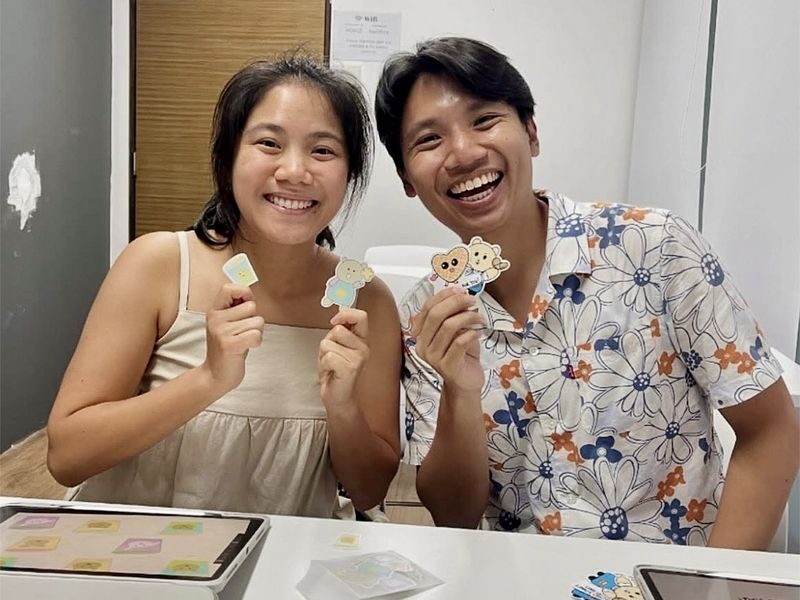
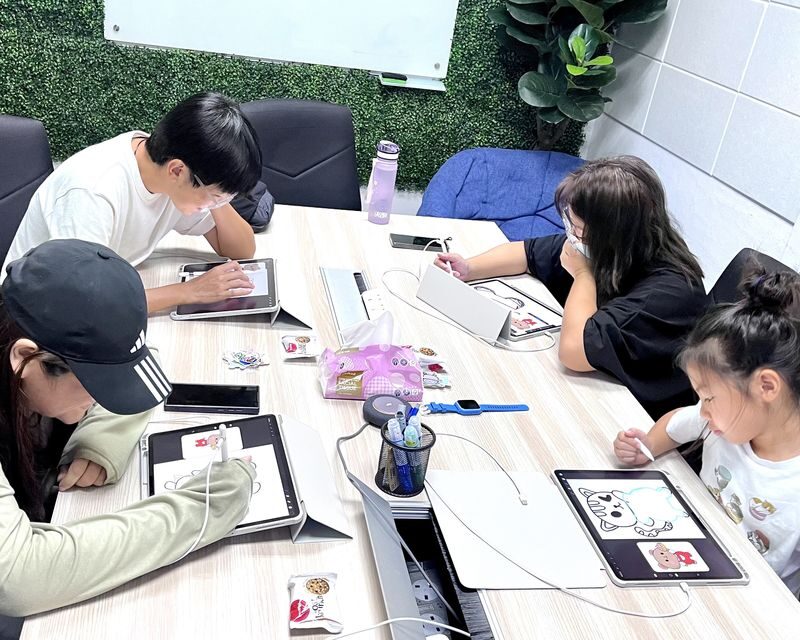
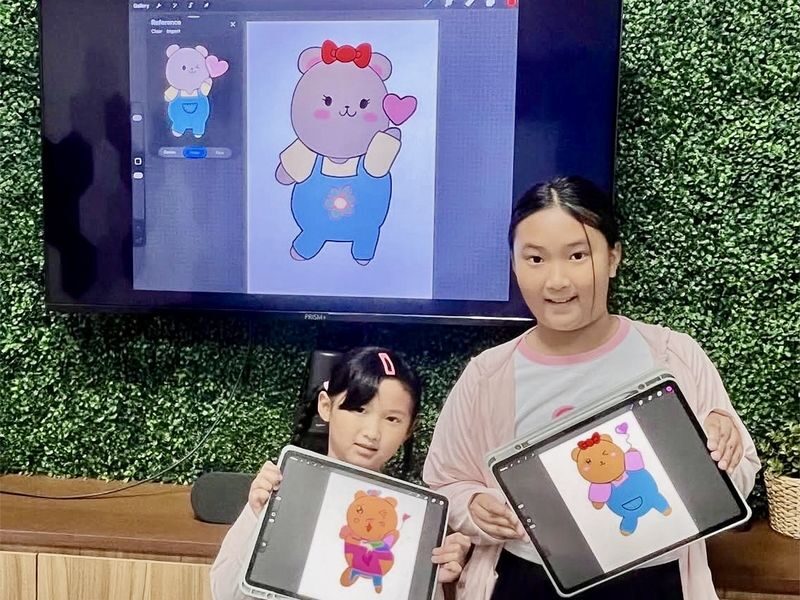
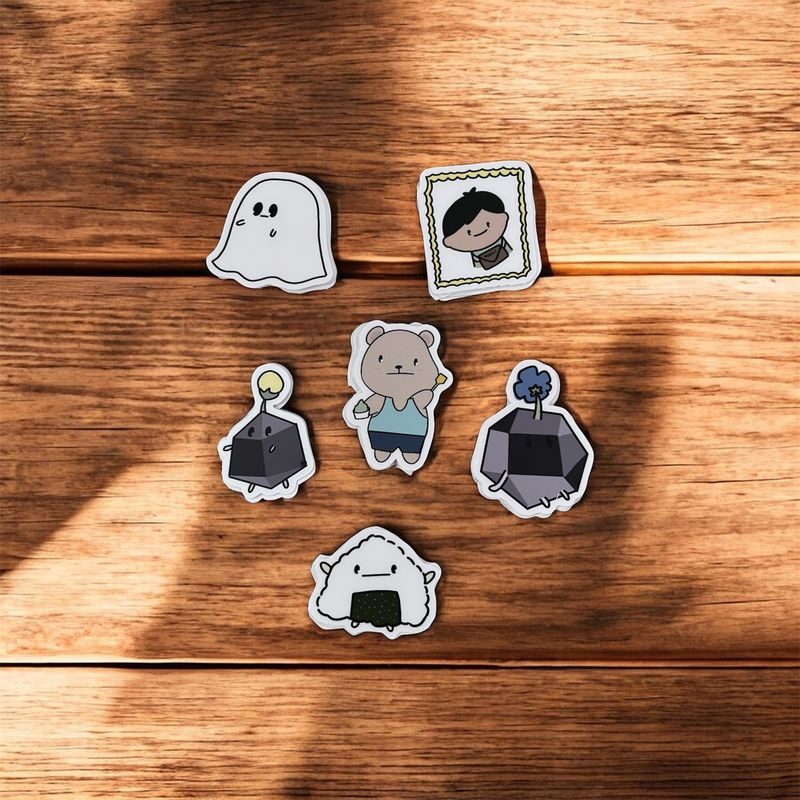
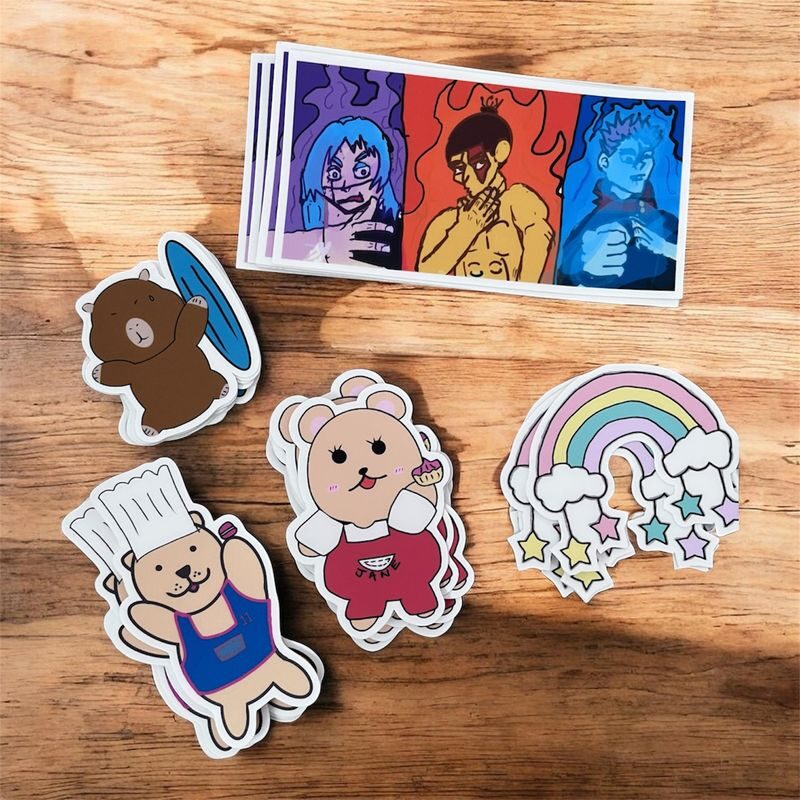
- Make your own sticker designs: Learn drawing basics in Procreate, then turn your art into a die-cut sticker sheet.
- Get individual help: Sessions have two to eight participants, and instructor Celeste is noted for patient, step-by-step teaching.
- No kit required: An iPad with Procreate and an Apple Pencil are provided.
- Keep a digital copy: Soft copies of your designs are included, alongside the physical stickers.
- Plan for a weekend visit: Doodlebit Sg is open Saturday and Sunday, from 10:00 to 21:30.
- Suitable from age seven: The workshop is designed for adults and children, including first-time digital artists.
👉 See our pick of the 25 Best Guided Tours In Singapore
Turning Procreate basics into your own artwork
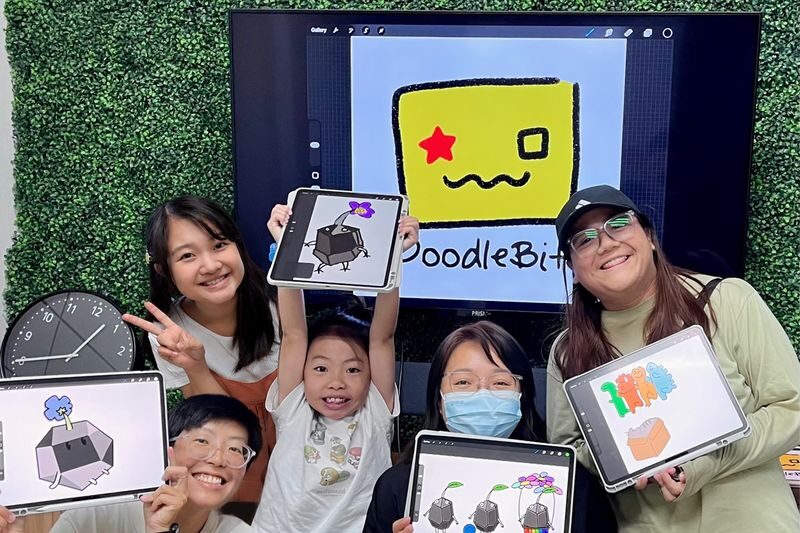
This is an introduction to making digital art, not a test of your drawing ability. You start with an iPad and Apple Pencil, then learn how to use Procreate’s basic tools with an instructor guiding the steps. The aim is to make a design of your own, not to master every feature in one sitting.
That distinction matters if you are new to digital art. Procreate has plenty of controls, and a first-time user can lose time just working out where things are. A guided lesson gives you a place to ask questions as you go, while you put the tools to use straight away.
The workshop covers layering, blending and colour, along with simple drawing tools and layout. Layers let you build an image in parts rather than committing every mark at once. Blending and colour help bring those parts together, while layout matters because your artwork will eventually be cut into stickers.
You do not need to bring your own tablet or stylus. The workshop supplies an iPad with Procreate installed and an Apple Pencil, which makes this an easy way to try the app before deciding if you want to use it at home. One participant even left ready to buy Procreate after the session, but you can treat the class as a low-pressure trial rather than a sales pitch.
The teaching is led by Celeste, who is described as clear and patient with both adults and children. She explains the steps, repeats them when needed and adjusts to different skill levels. If you already know a little about digital drawing, you can ask about more advanced features as you work.
You can also read our reviews of more tours and experiences in Singapore

From guided drawing to a sticker sheet
Expect to move from learning the tools to using them on a piece of art. The session is described as a step-by-step class, so you are not simply handed an iPad and left to puzzle through the app. You practise while drawing, which helps turn each new button or technique into something useful.
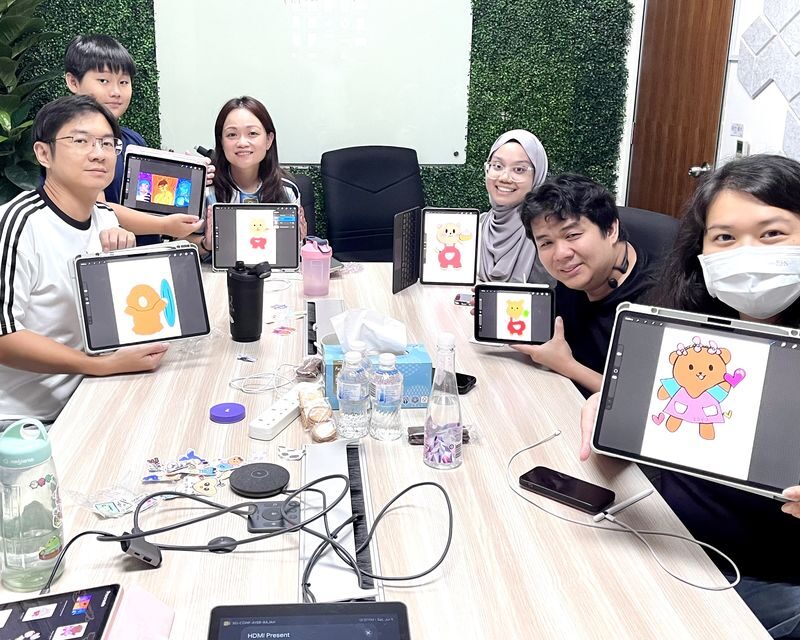
A simple shared subject can make the first part less intimidating. A class has used a bear as a drawing exercise, giving participants a clear starting point while they learn how to apply the tools. Your own designs are the point, though, and the information does not promise one fixed subject for every session.
Once you have artwork you are happy with, you can work on colours and layout with the sticker format in mind. A design that looks good on a screen may need a little thought before it becomes a cut-out: the shape and arrangement matter as much as the drawing itself. That connection between digital art and a finished object gives the class a practical end goal.
The 2.5-hour length gives you time to learn and make something, rather than just watch a quick demonstration. Still, it is a beginner workshop, not an intensive course in every Procreate feature. If you arrive with a detailed design in mind, keep your expectations flexible. You may need to simplify it to fit the time and the class’s guided pace.
At the end, you receive soft copies of your designs, and your custom die-cut stickers are shipped to your home. That means you keep a digital version to revisit or use later, plus a physical memento you can stick on a notebook or gift. The sheet is not an instant takeaway, and no delivery timetable is specified, so do not count on having it before you leave Singapore.
A small class with room for questions
The group size is two to eight participants. That is a useful scale for a hands-on lesson: there are other people to share the creative energy, but the class is not so large that asking for help should feel like interrupting a lecture.
The class is meant for children aged seven and older as well as adults. That makes it a good family activity when children are old enough to follow a sequence of instructions and use a stylus. The instructor has worked patiently with children, including younger participants with no digital art experience, and can offer older or more confident children extra pointers.
It also works for a solo creative outing or a session with a friend. You do not need to arrive as an artist, and you do not need to bring a partner. If you come with someone who has a different skill level, the small-group format and the instructor’s willingness to repeat steps can help each person work at their own pace.
The activity is offered with an English- or Chinese-speaking guide. If language matters for a child or anyone in your group, check that the language option for your chosen session suits you before booking.
Finding Doodlebit Sg at Boon Keng
The meeting point is Boon Keng Station, and the studio address is Doodlebit Sg, 994 Bendemeer Road, #06-01, a walking distance from Boon Keng MRT. The location is convenient by train, though it may feel out of the way if your day is centred on central Singapore sights. Build in time to get there rather than squeezing the workshop between tightly timed visits.
The venue’s listed opening hours are Saturday and Sunday, 10:00 to 21:30. Those are the studio’s opening hours, not a promise that a class runs continuously throughout the day. Check the time on your booking voucher and use the address there to confirm where to meet.
The workshop provides the main equipment, so you can travel light. A participant has also suggested bringing your own drink; there is a vending machine, but you may want coins if you plan to use it. Pets are not permitted, and anyone who appears intoxicated may be refused service without a refund.
Is the price worth it?
The displayed starting price is not entirely consistent: the experience summary gives US$77.49, while the package option starts at US$70.45. Check the current amount for your selected date and package before paying, as the final price may depend on the option you choose.
To judge the value, count more than the time at the table. The fee includes a 2.5-hour guided session, an instructor, use of an iPad and Apple Pencil, soft copies of your designs, and a custom die-cut sticker sheet shipped to your home. If you do not own an iPad or Procreate, the included equipment is a real benefit. You can test the app before spending money on your own setup.
The class is less compelling if your only goal is to learn a few app functions. You can find some basic tutorials online, and this workshop is not a substitute for ongoing practice. Its value is the combination of an instructor who can answer questions in the moment, time set aside to make art, and a finished sticker product.
This activity is SG Culture Pass eligible, which may help if you are looking for a creative class that fits that programme. The booking is date-specific, and cancellations or refunds are not available. Be sure the date works before committing.




Who will enjoy this workshop most?
I would recommend it to first-time Procreate users who want a gentle, practical introduction, and to families looking for an indoor activity that ends with something personal. It is also a good fit for a solo outing: the class gives you a project and a teacher, so you do not need to arrive with a friend or a plan.
It may suit you if you are curious about digital illustration but do not yet know whether you want to buy the app or equipment. The provided iPad and Pencil let you try the process without an upfront hardware purchase. If you already use Procreate regularly, you may still pick up tips, but the beginner focus could feel basic unless you ask Celeste about more advanced tools.
The strongest reason to book is the finished result. You are not just watching an instructor draw; you work through the process yourself, keep your files and have stickers made from your own art. The main trade-offs are the studio’s location, the need to wait for the sticker sheet, and the no-refund policy.
Digital Art Painting with Procreate Workshop in Singapore
“Was hesitate to lay down the investment to buy procreate but immediately purchased it after the workshop 🙂 The course was very fun and informative…”
FAQ
How long is the workshop?
The Digital Painting and Sticker Making Workshop lasts 2 hours and 30 minutes.
What is included in the price?
The workshop includes an instructor, an iPad with Procreate installed, an Apple Pencil, soft copies of your designs and die-cut stickers made from your artwork and shipped to your home.
Do I need experience with Procreate or digital drawing?
No. The session is beginner-friendly, and no prior experience is required.
What is the minimum age?
Participants must be at least seven years old.
Where does the workshop take place?
It is at Doodlebit Sg, 994 Bendemeer Road, #06-01, within walking distance of Boon Keng MRT. Boon Keng Station is the stated meeting point.
Can I cancel or get a refund?
No. Cancellations and refunds are not available, so check that your selected date works before booking.